By clicking “Accept All Cookies”, you agree to the storing of cookies on your device to enhance site navigation, analyze site usage, and assist in our marketing efforts. Terms and Conditions

All Blogs/Network
20 Nov 2026
5 min read

HTTP/HTTPS & the Modern Web Stack

HTTP/HTTPS & the Modern Web Stack

By: Martian Corporation

Introduction – The Protocols Behind Every Website

“Every website begins with a request, and every response brings the web to life.”

Every time you open a website, submit a form, or access an online application, your browser communicates with a server to exchange information.

This communication relies on the Hypertext Transfer Protocol (HTTP), one of the fundamental technologies behind the World Wide Web.

HTTP defines how clients request resources and how servers respond. HTTPS adds encryption and authentication, helping protect information exchanged between users and websites.

Over time, HTTP has evolved to support faster and more efficient communication. Let's explore how these protocols work and why they matter.

1. HTTP Request and Response – How Web Communication Works

“Behind every webpage is a conversation between a client asking for information and a server providing it.”

HTTP follows a request-response model. A client, usually a browser, sends a request, and the server processes it before returning a response.

For example, when you visit https://martiancorporation.com, your browser requests the webpage from its server.

A typical HTTP request contains:

· Method: Defines the action being requested.

· URL: Identifies the requested resource.

· Headers: Provide additional information, such as content types or authentication details.

· Body: Carries information when required, such as submitted form data.

The server responds with a status code, headers, and potentially a response body containing HTML, JSON, images, or other resources.

HTTP is stateless, meaning individual requests do not automatically retain information about previous requests. Websites use cookies and sessions to maintain user-related information.

This request-response structure supports websites, APIs, and modern web applications.

HTTP Request and Response

2. HTTP Methods and Status Codes – Understanding Server Responses

“HTTP methods describe what the client wants, while status codes explain what happened.”

HTTP provides different methods depending on the action being performed.

Common methods include:

· GET: Retrieves information from a server.

· POST: Submits data, often for creating resources or processing forms.

· PUT: Creates or replaces a resource.

· PATCH: Applies partial changes to an existing resource.

· DELETE: Requests removal of a resource.

For example, opening a product page usually involves GET, while submitting a registration form commonly uses POST.

After processing a request, the server returns an HTTP status code.

These codes are grouped into five categories:

· 1xx – Informational: Communication is continuing.

· 2xx – Success: The request succeeded, such as 200 OK.

· 3xx – Redirection: Further action is needed, such as 301 Moved Permanently.

· 4xx – Client Error: The request cannot be fulfilled, such as 404 Not Found.

· 5xx – Server Error: The server encountered a problem, such as 500 Internal Server Error.

Understanding these methods and codes helps developers troubleshoot APIs, identify errors, and manage application behaviour.

HTTP Methods and Status Codes

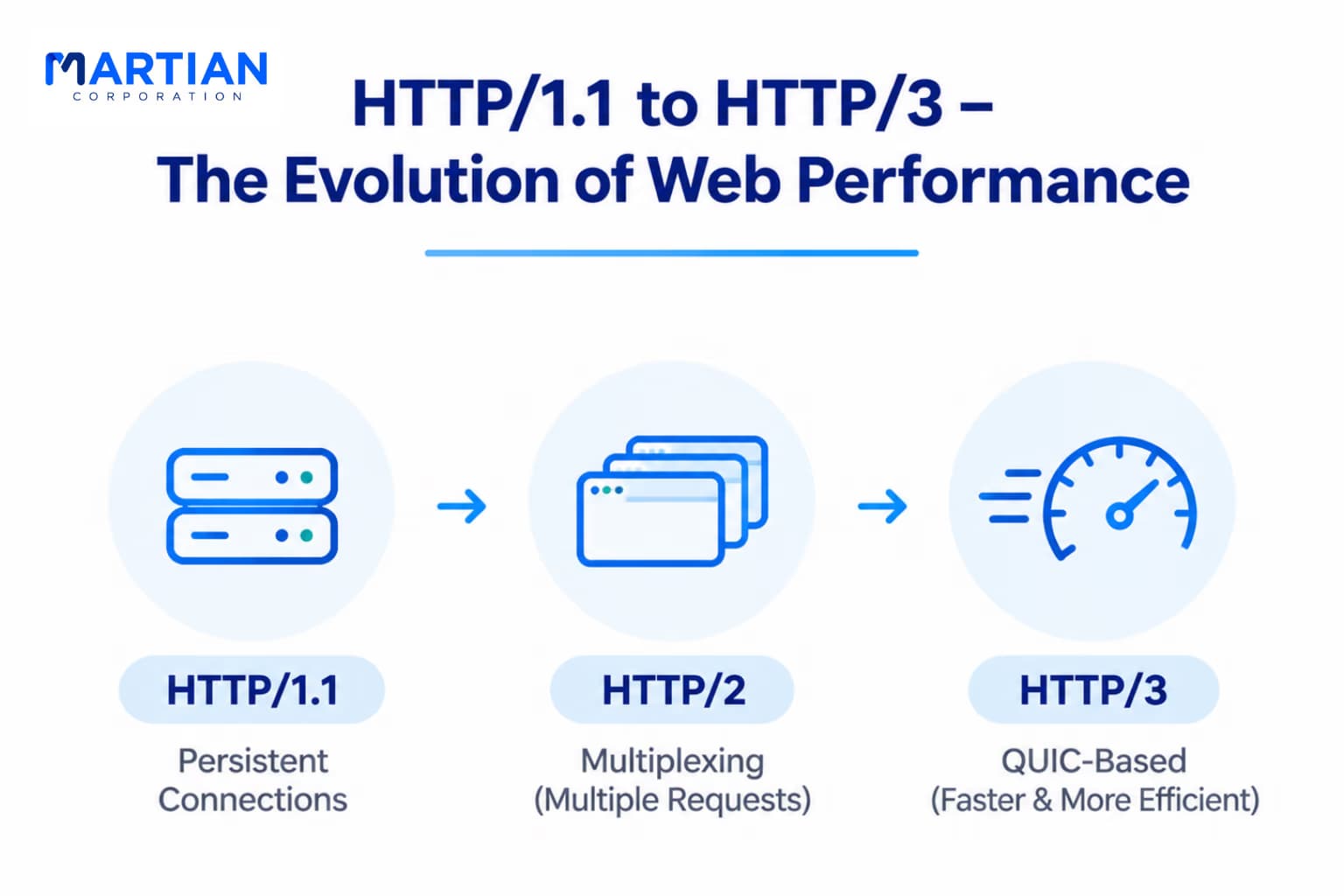
3. HTTP/1.1 to HTTP/3 – The Evolution of Web Performance

“As websites became more complex, HTTP evolved to deliver information more efficiently.”

Modern websites load numerous resources, including images, stylesheets, scripts, and API responses.

HTTP has evolved to handle these growing demands.

HTTP/1.1 – Persistent Connections

HTTP/1.1 supports persistent TCP connections, allowing multiple requests to reuse the same connection. However, response ordering on a single connection can delay later responses, limiting efficiency.

HTTP/2 – Multiplexing

HTTP/2 introduced multiplexing, allowing multiple requests and responses to share one TCP connection concurrently. It also uses binary framing and header compression to improve communication efficiency. However, TCP packet loss can still delay multiple streams sharing the connection.

HTTP/3 – QUIC-Based Communication

HTTP/3 uses QUIC, a transport protocol built over UDP, instead of TCP. QUIC supports independent streams, integrated TLS 1.3 security, and efficient connection establishment. This reduces transport-level head-of-line blocking and improves performance on networks experiencing packet loss.

These improvements help modern websites deliver smoother and more responsive experiences.

HTTP/1.1 to HTTP/3 – The Evolution of Web Performance

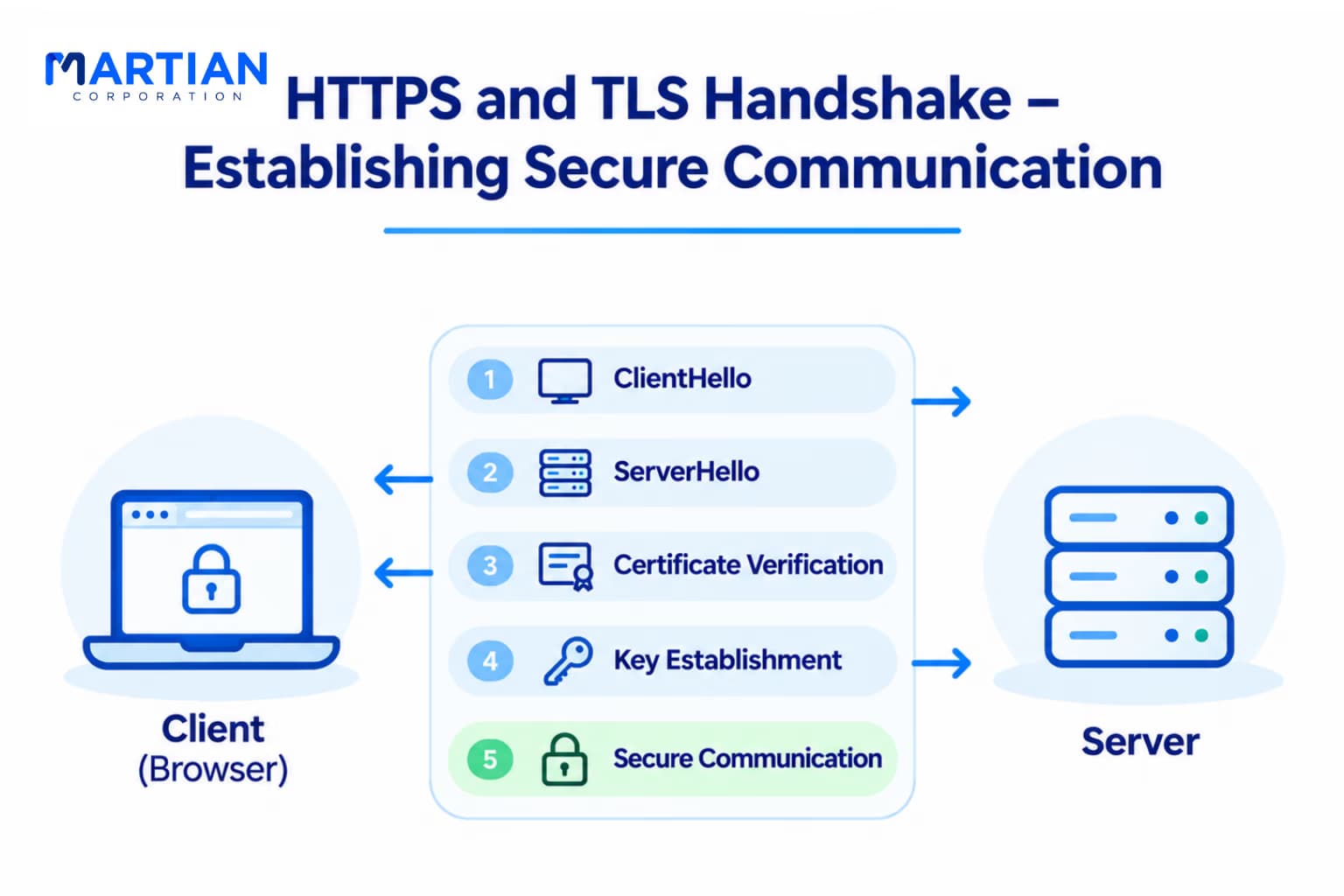
4. HTTPS and TLS Handshake – Establishing Secure Communication

“Before exchanging sensitive information, the browser and server establish a secure communication channel.”

HTTP alone does not encrypt transmitted information. Data sent through plain HTTP may be intercepted or modified by parties with access to the network.

HTTPS addresses this by using Transport Layer Security (TLS).

Before exchanging encrypted application data, the browser and server perform a TLS handshake.

A typical TLS 1.3 handshake involves:

1. ClientHello: The browser sends supported cryptographic options and key exchange information.

2. ServerHello: The server selects compatible parameters and provides its key exchange information.

3. Certificate Verification: The browser verifies the server's digital certificate.

4. Key Establishment: Both parties derive shared encryption keys.

5. Secure Communication: The handshake completes, allowing encrypted HTTP communication.

This process helps protect information while establishing trust in the server's identity.

Modern TLS is designed to provide strong security without introducing unnecessary connection delays.

HTTPS and TLS Handshake – Establishing Secure Communication

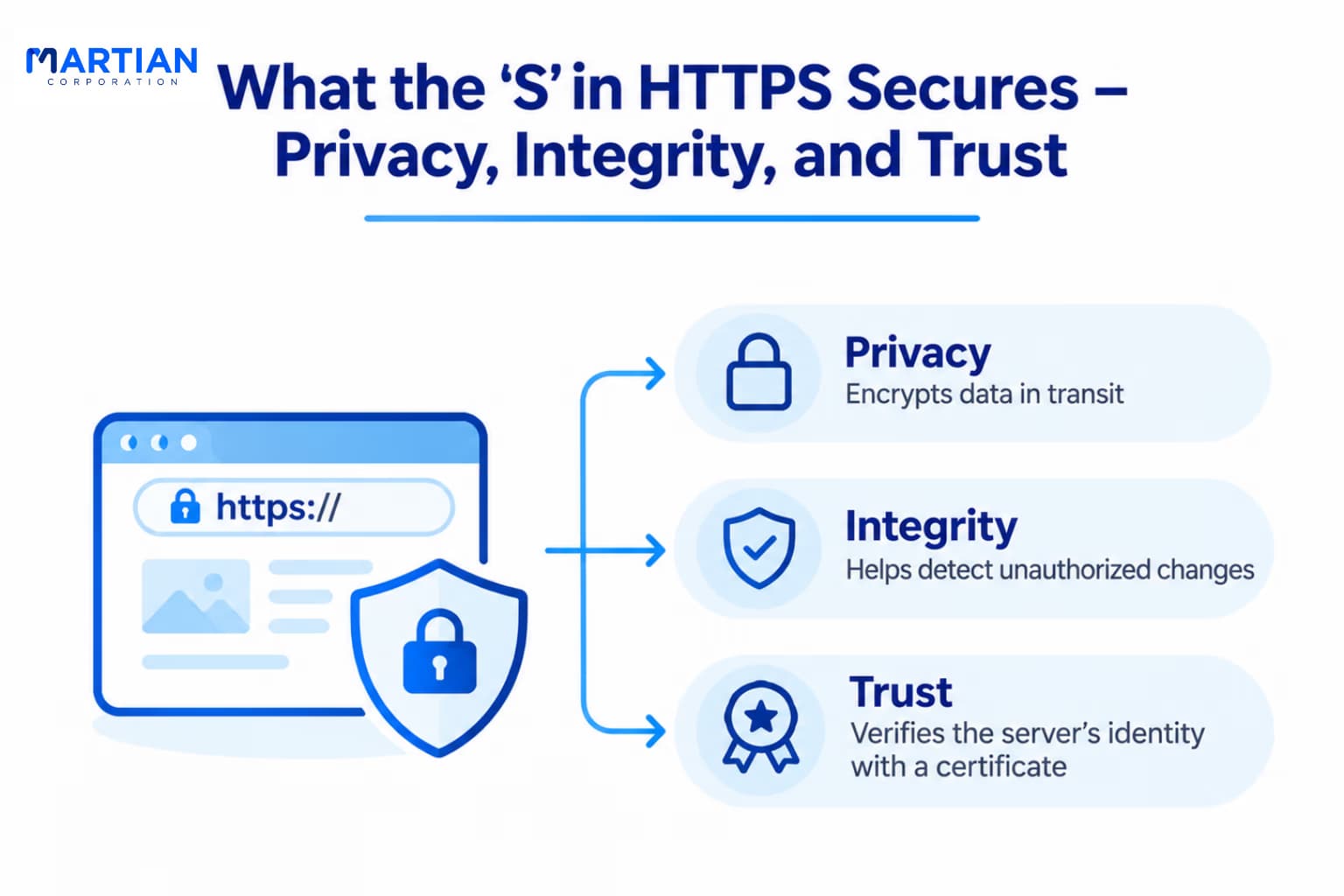
5. What the 'S' in HTTPS Secures – Privacy, Integrity, and Trust

“HTTPS protects more than passwords. It helps secure the information exchanged throughout a web session.”

The 'S' in HTTPS stands for Secure, representing the protection provided by TLS.

HTTPS offers three essential security properties:

· Confidentiality: Encrypts communication so intermediaries cannot easily read transmitted information.

· Integrity: Helps detect unauthorized modifications during transmission.

· Authentication: Uses digital certificates to help verify the server's identity.

For example, when users access online banking, HTTPS protects credentials and financial information during transmission.

However, HTTPS does not guarantee that a website itself is trustworthy.

Malicious websites can also use HTTPS, and encryption cannot prevent vulnerabilities within an application.

Some connection metadata, including destination IP addresses, may also remain visible.

HTTPS secures communication in transit, while complete website security requires proper authentication, secure application development, and infrastructure protection.

What the 'S' in HTTPS Secures – Privacy, Integrity, and Trust

Conclusion – Building a Faster and More Secure Web

“HTTP makes web communication possible, while HTTPS helps make that communication secure.”

HTTP defines how browsers and servers exchange information through requests, responses, methods, and status codes.

Its evolution from HTTP/1.1 to HTTP/2 and HTTP/3 has improved efficiency and performance across modern networks.

HTTPS adds encryption, integrity protection, and server authentication, making secure communication essential to today's web.

For developers, network engineers, and IT professionals, understanding these protocols helps build reliable applications, troubleshoot connectivity, and protect user information.

NewsLetter

Stay ahead in the world of technology

Get curated technology trends, expert analysis, and product updates delivered straight to your inbox — no noise, just signal.

Enter your email address

By subscribing you agree to our Terms and Conditions and Privacy Policy

More Blogs

DNS: The Internet's PhonebookNetwork
18 Nov 2026
4 min read

DNS: The Internet's Phonebook

Explore how DNS resolves domain names, manages records, improves network performance, and supports secure, reliable internet communication.

Read more
TCP vs UDP: Reliability vs SpeedNetwork
13 Nov 2026
6 min read

TCP vs UDP: Reliability vs Speed

Explore TCP vs UDP, their differences in reliability, speed, ports, flow control, and how to choose the right protocol for network communication.

Read more
Core Network Support Protocols: ARP, ICMP & DHCPNetwork
11 Nov 2026
4 min read

Core Network Support Protocols: ARP, ICMP & DHCP

Explore how ARP, ICMP, and DHCP work together to manage IP addressing, local network communication, and connectivity troubleshooting.

Read more