By clicking “Accept All Cookies”, you agree to the storing of cookies on your device to enhance site navigation, analyze site usage, and assist in our marketing efforts. Terms and Conditions

All Blogs/Network
28 Oct 2026
4 min read

IP Addressing Fundamentals (IPv4)

IP Addressing Fundamentals (IPv4)

By: Martian Corporation

Introduction 

“Before data can find its destination, every device needs an address.” 

We have already seen how switches use MAC addresses to identify devices within a local network. But when data needs to travel between different networks, IP addresses become essential. 

The most widely known version is IPv4 (Internet Protocol version 4). 

IPv4 provides addresses that help identify devices and allow routers to determine where packets need to go. Understanding the basic types of IPv4 addresses is one of the foundations of networking. 


Understanding IPv4 Addresses 

“An IPv4 address is a 32-bit number written in four simple parts.” 

An IPv4 address contains 32 bits, divided into four groups of 8 bits called octets. 

For example: 192.168.10.25 

Each octet can contain a value from 0 to 255. 

So an IPv4 address always follows this basic structure: 

8 bits + 8 bits + 8 bits + 8 bits = 32 bits 

These addresses allow devices and network equipment to identify where packets should be sent. 

You will commonly see addresses such as: 

192.168.1.10 
10.0.0.25 
172.16.5.20 

The numbers may look random at first, but their meaning depends on how the address is being used within a network. 
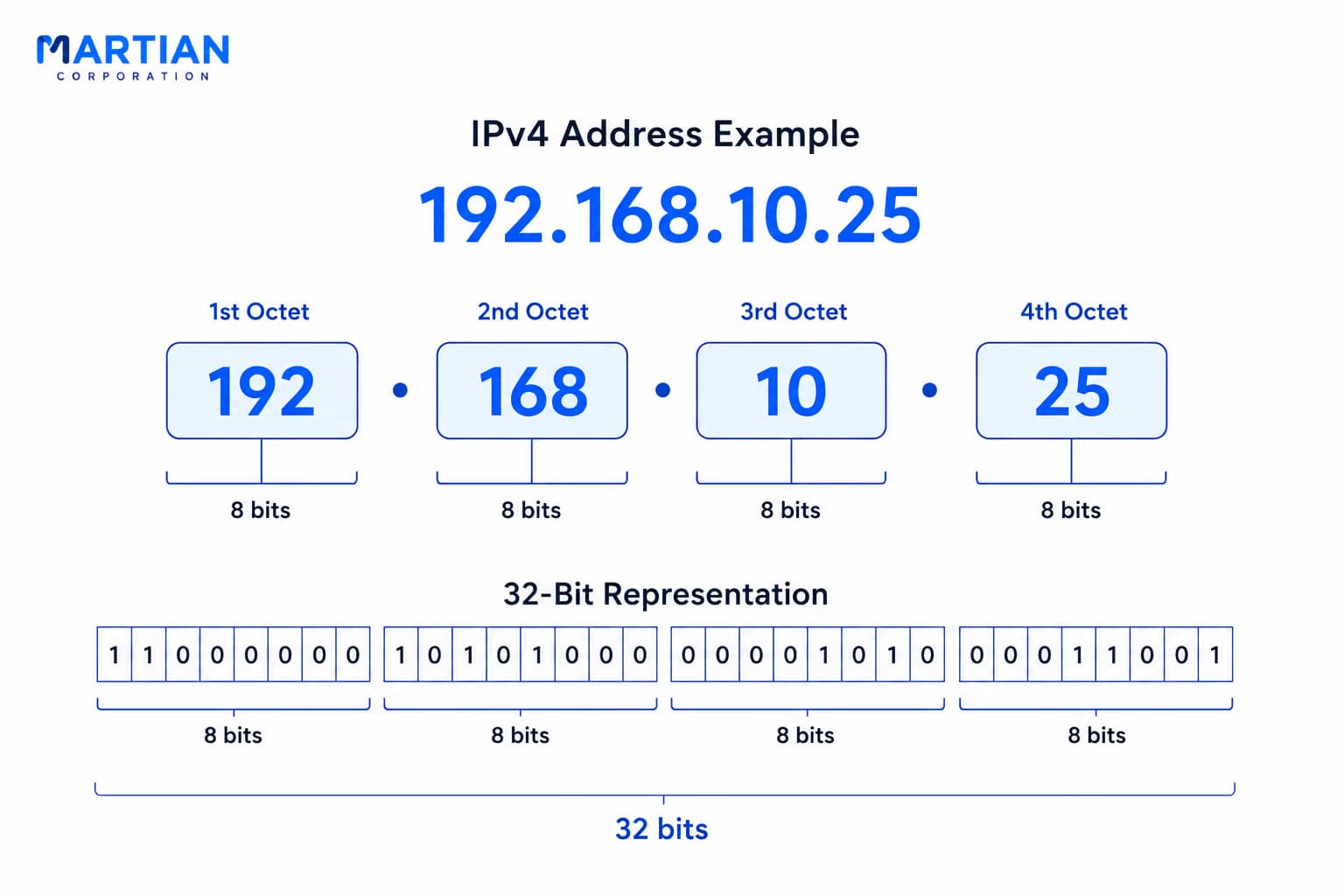
IPv4

IPv4 Address Classes — A Historical View 

“IPv4 was not always as flexible as it is today.” 

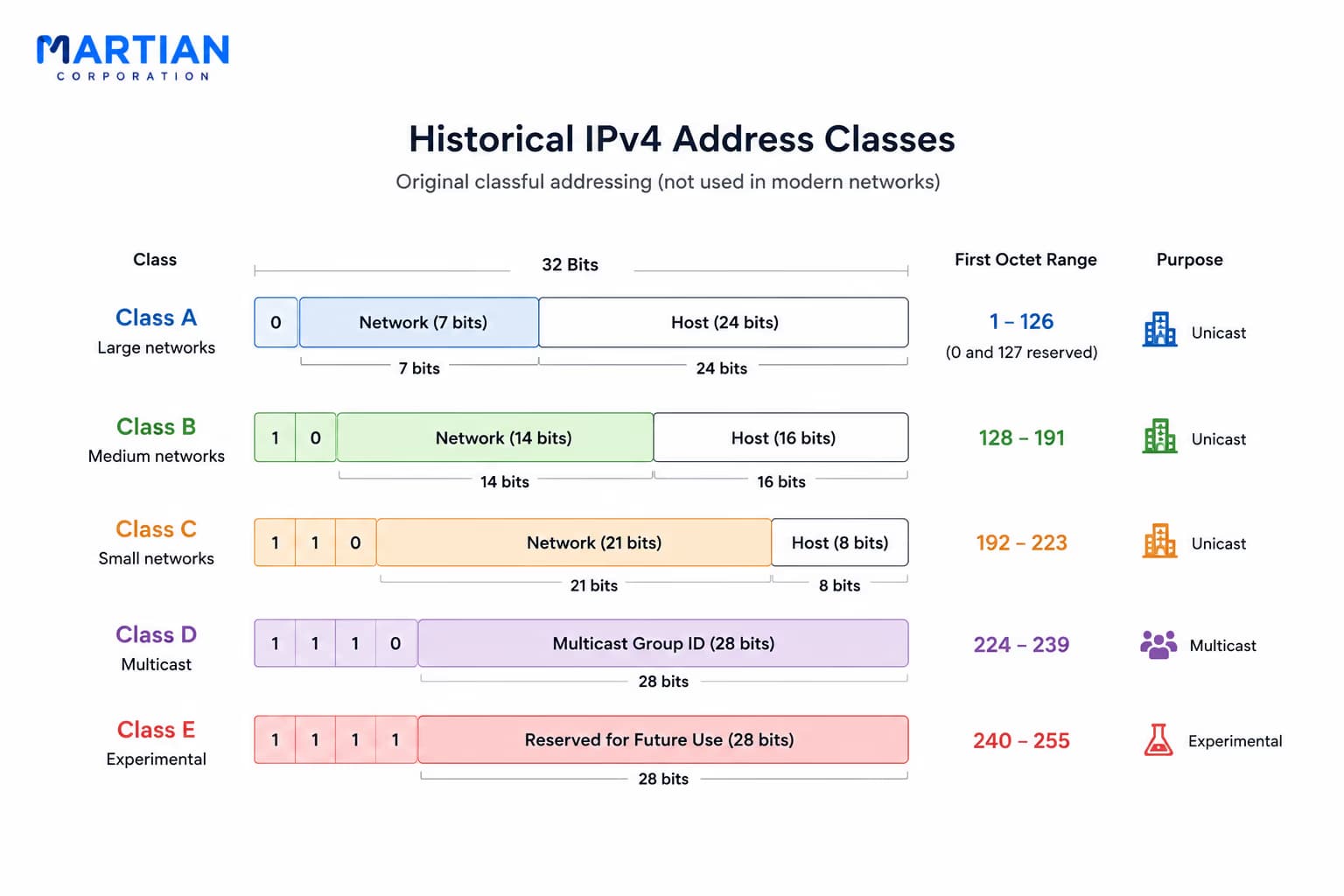
In the early days of IPv4, addresses were divided into classes based on the size of the network. 

The main classes were: 

Class A → Very large networks 
Class B → Medium-sized networks 
Class C → Smaller networks 

There were also Class D, used for multicast, and Class E, reserved for experimental purposes. 

This class-based system made addressing easier to understand at the time, but it was not very efficient. Organizations could receive address blocks much larger than they actually needed. 

Modern networking therefore moved away from this classful addressing approach toward more flexible methods. 

The important point is that IPv4 classes are now mainly useful for understanding networking history and older terminology, rather than for designing modern networks.

Historic IPv4

Public vs. Private IPv4 Addresses 

“Some addresses belong on the Internet; others are meant to stay inside your network.” 

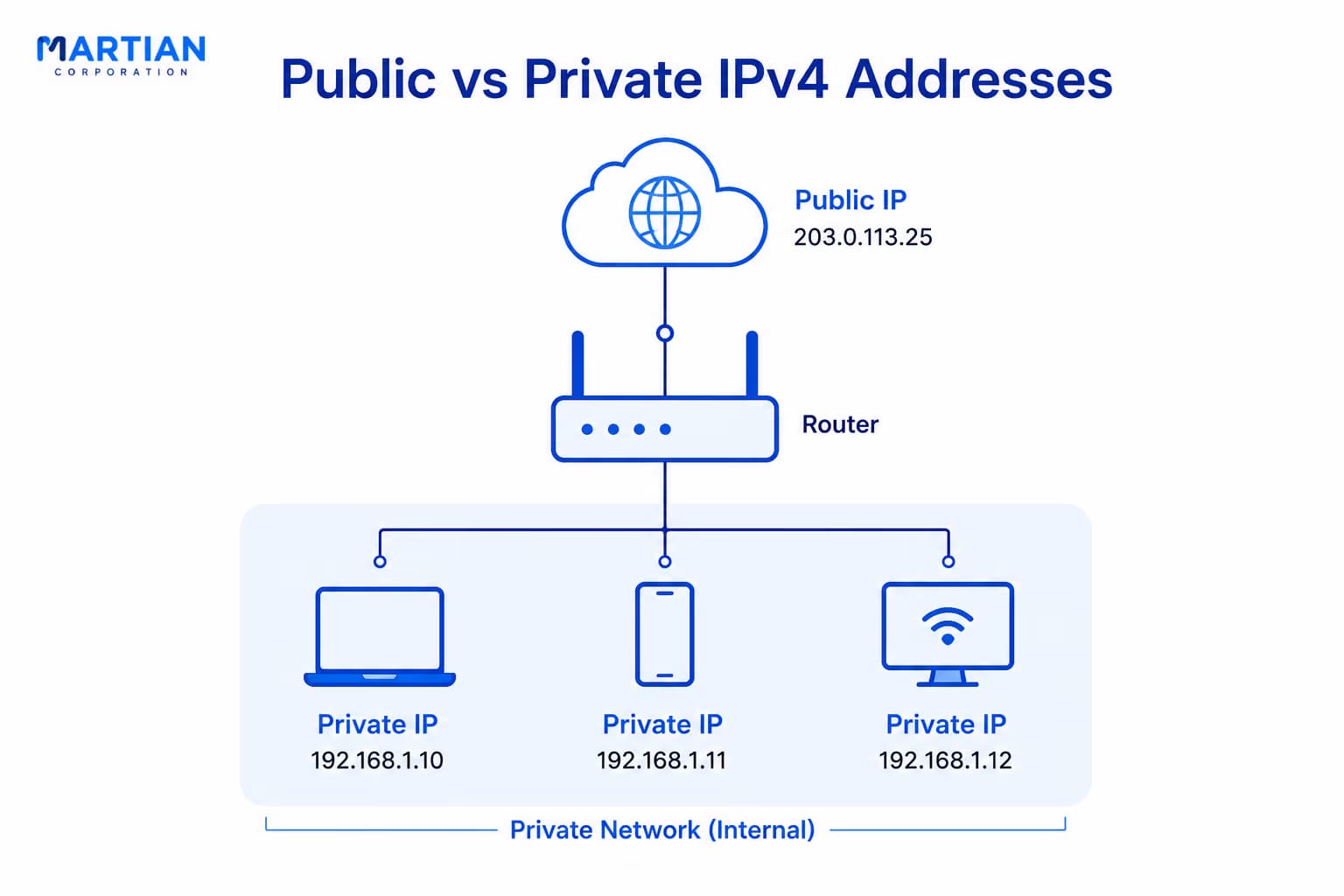
IPv4 addresses are commonly encountered as either public or private addresses. 

A public IP address can be used for communication across the Internet. Websites, servers, and Internet-connected services may use public addresses so they can be reached from outside their local network. 

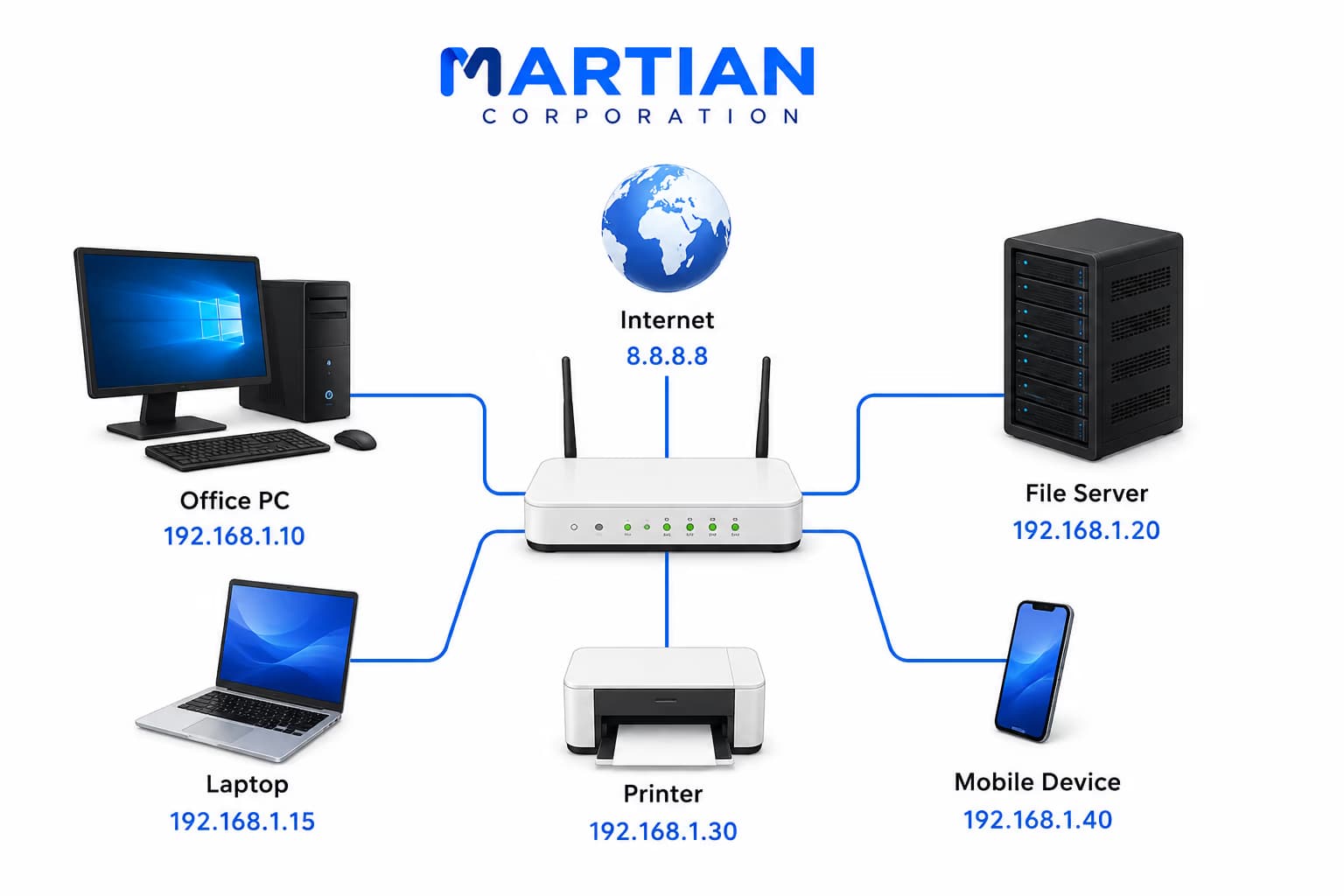
A private IP address, on the other hand, is intended for use inside networks such as homes, offices, schools, and organizations. 

The three private IPv4 ranges are: 

10.0.0.0 – 10.255.255.255 

172.16.0.0 – 172.31.255.255 

192.168.0.0 – 192.168.255.255 

For example, your laptop might have: 192.168.1.25 

while your router has a public IP address used to communicate with the Internet. 

Private addresses can be reused across different organizations because they are not meant to be globally unique Internet addresses. 

Public vs. Private IPv4 Addresses

The Loopback Address 

“What if a computer needs to talk to itself?” 

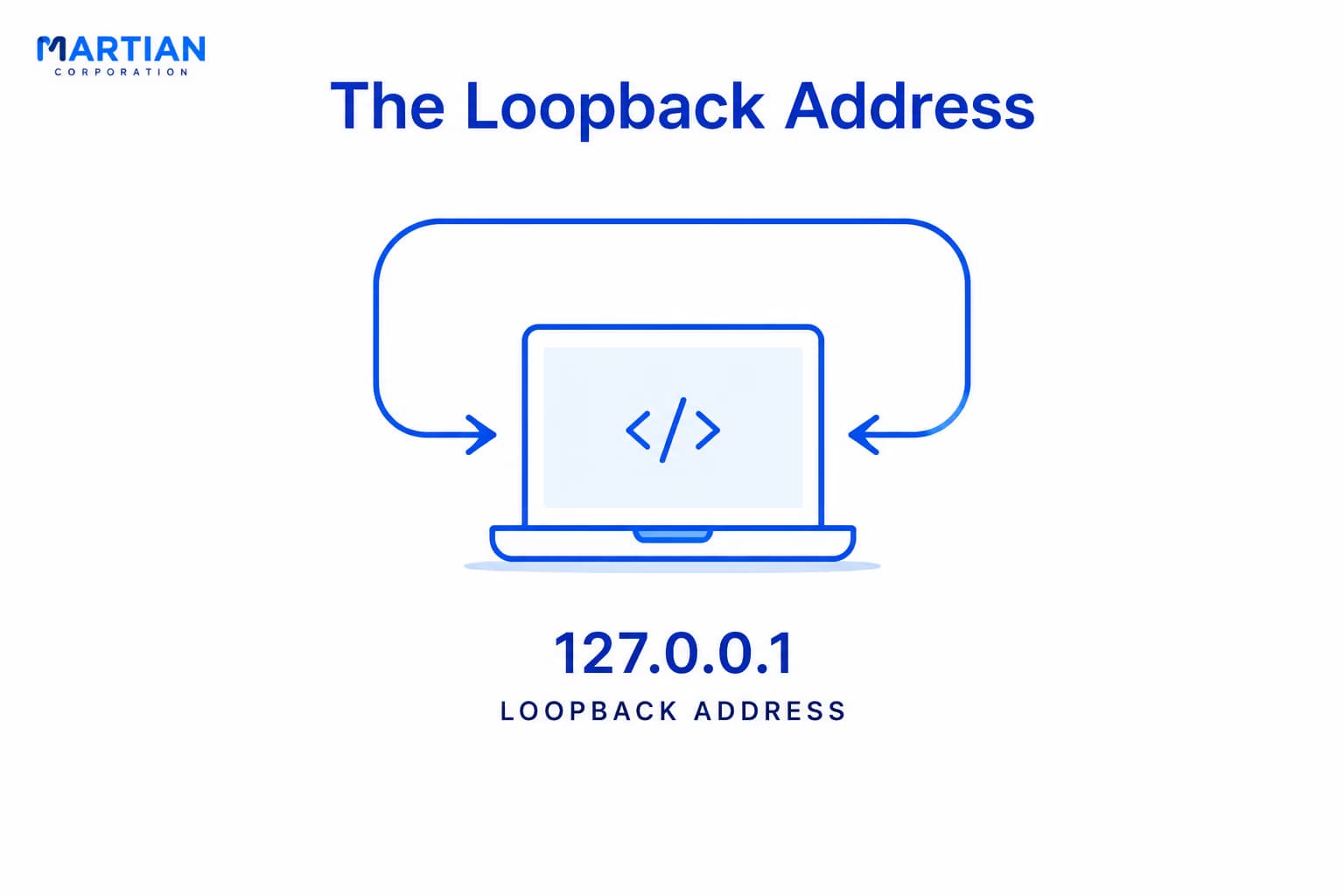
IPv4 has a special range called the loopback range. 

The address you will encounter most often is: 127.0.0.1 

It refers back to the same computer on which the connection originates. 

For example, when a developer runs a web application locally and opens: 127.0.0.1 

the request stays on that computer rather than travelling to another device on the network. 

You may also see localhost, which commonly refers to the local machine through a loopback address. 

Loopback addresses are useful for testing applications, checking local services, and troubleshooting network software. 

Loopback Address

The IPv4 Address-Exhaustion Problem 

“The Internet became much bigger than IPv4 originally anticipated.” 

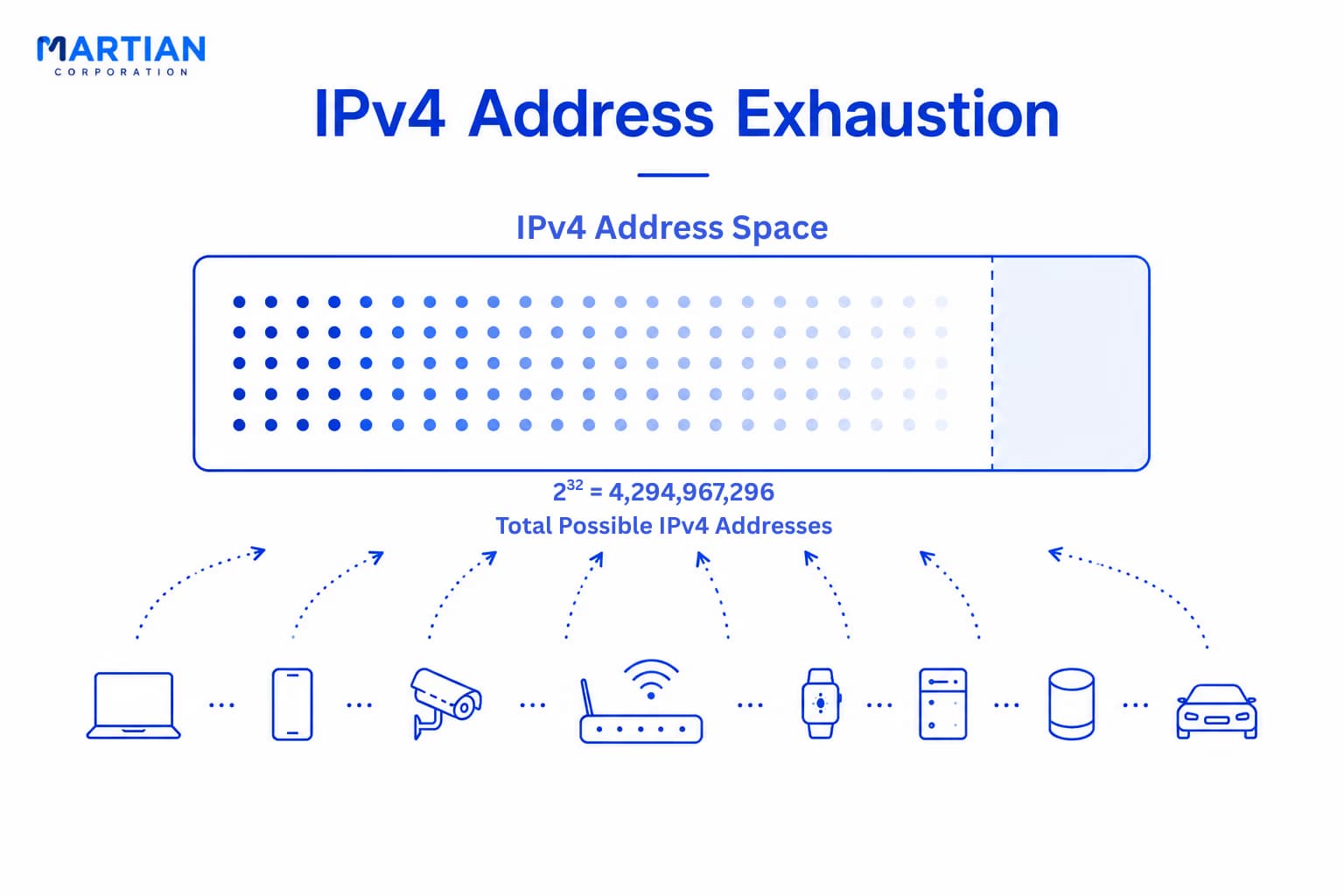
IPv4 uses 32 bits, giving it:  2³² = 4,294,967,296  possible address values. 

That sounds like a huge number. But as computers, smartphones, servers, IoT devices, and other connected systems multiplied, the supply of publicly usable IPv4 addresses became limited. 

This is known as IPv4 address exhaustion. 

Technologies such as private addressing and NAT helped organizations make more efficient use of the available IPv4 space, but they did not increase the total number of IPv4 addresses. 

This limitation eventually became one of the major reasons for developing IPv6, which uses a much larger 128-bit address space. 

IPv4 is still widely used today, but understanding its limited address space helps explain why modern networks increasingly involve both IPv4 and IPv6. 

The IPv4 Address-Exhaustion Problem

Conclusion 

“An IP address is more than a number — it is part of how a network knows where to send data.” 

IPv4 uses 32-bit addresses, written as four decimal octets. Historically, these addresses were divided into classes, although classful addressing is now largely a concept of the past. 

Public addresses provide Internet-wide addressing, while private addresses are used within local networks. The special 127.0.0.1 loopback address allows a device to communicate with itself. 

But IPv4 has a fundamental limitation: its address space is finite. The growth of the Internet led to IPv4 address exhaustion, creating the need for a much larger addressing system. 

With the basics of IPv4 in place, the next challenge is understanding how one IP network can be divided into smaller networks and how to calculate the available addresses.

NewsLetter

Stay ahead in the world of technology

Get curated technology trends, expert analysis, and product updates delivered straight to your inbox — no noise, just signal.

Enter your email address

By subscribing you agree to our Terms and Conditions and Privacy Policy

More Blogs

Switching & VLANsNetwork
28 Aug 2026
6 min read

Switching & VLANs

Modern networks need more than simple connectivity—they need efficient traffic management, logical segmentation, and stronger security. Network switches make this possible by intelligently forwarding data between devices, while VLANs allow organizations to divide a physical network into separate logical networks. This article explores how switching works, how VLANs provide network segmentation, and how these technologies work together to build faster, more organized, and secure network infrastructures.

Read more
Data Link Layer, MAC Addresses & EthernetNetwork
26 Aug 2026
5 min read

Data Link Layer, MAC Addresses & Ethernet

Before data can travel across the Internet, devices must first communicate reliably within their local networks. The Data Link Layer plays a crucial role in this process by managing device-to-device communication through MAC addresses, Ethernet frames, switches, and error detection mechanisms. This article explores how the Data Link Layer works, how MAC addresses identify devices, and how Ethernet and network switches move frames across a local network—providing the foundation for efficient and reliable network communication.

Read more
The Physical Layer: Cables, Signals & MediaNetwork
21 Aug 2026
5 min read

The Physical Layer: Cables, Signals & Media

The Physical Layer: Cables, Signals & Media Every network begins with something physical — electrical signals through copper, pulses of light through fiber, or radio waves through the air. In this article, we take a closer look at the Physical Layer of the OSI Model and understand how data actually travels between devices. We’ll explore copper cables, twisted-pair wiring, fiber optic communication, wireless networks, bandwidth, throughput, latency, signal encoding, connectors, and networking standards — the building blocks that make modern computer networks possible. Because before packets can be routed, addressed, or delivered, they first need a physical medium to travel through.

Read more