All Blogs/Mobile Development
26 May 2026
3 min read

3 Android App Architecture Patterns That Ensure Clean, Scalable Code

3 Android App Architecture Patterns That Ensure Clean, Scalable Code

By: Martian Corporation

Article content

Introduction

“Good architecture isn’t visible to users — but bad architecture is felt everywhere.” If an Android app becomes hard to maintain, slow to update, or full of bugs, the problem is rarely the feature… it’s the structure. Without a clear architecture, projects quickly turn into messy codebases that are difficult to debug and nearly impossible to scale.

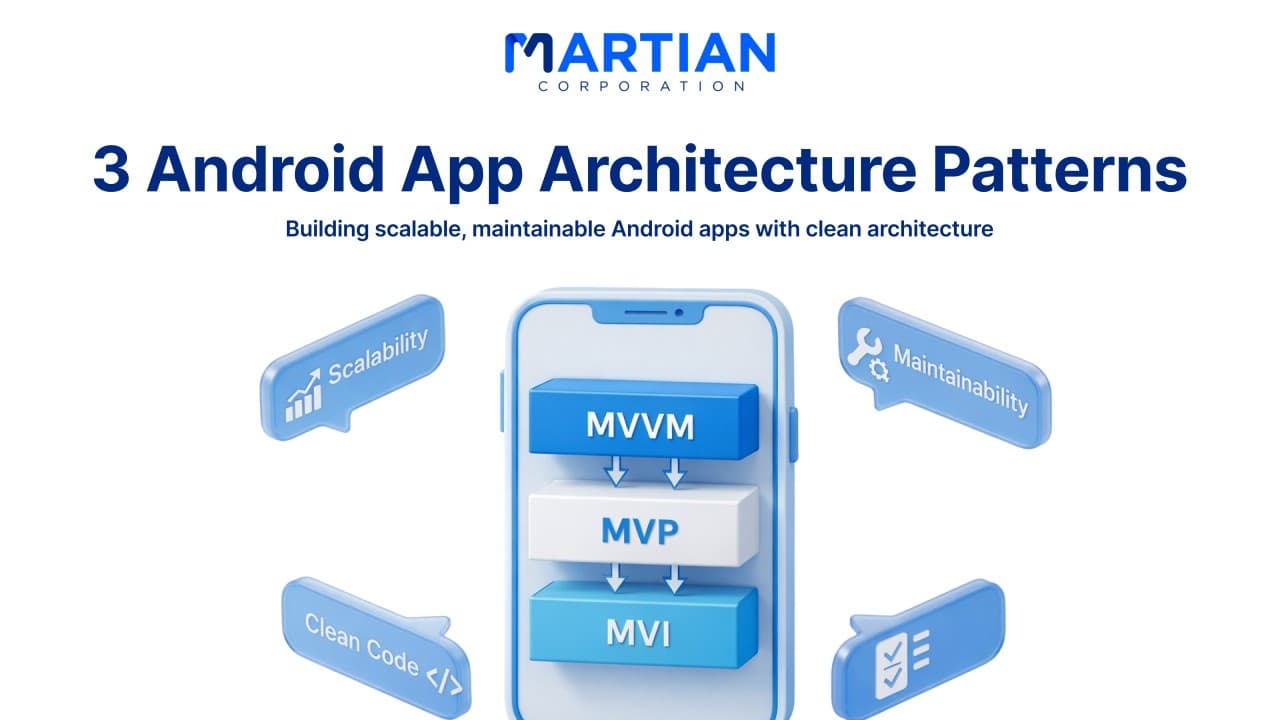
This guide explains three proven Android patterns — MVVM, MVP, and MVI — and when each one makes the most sense. Understanding them helps teams write cleaner code, improve testing, and avoid future rewrites.
MVVM (Model-View-ViewModel)

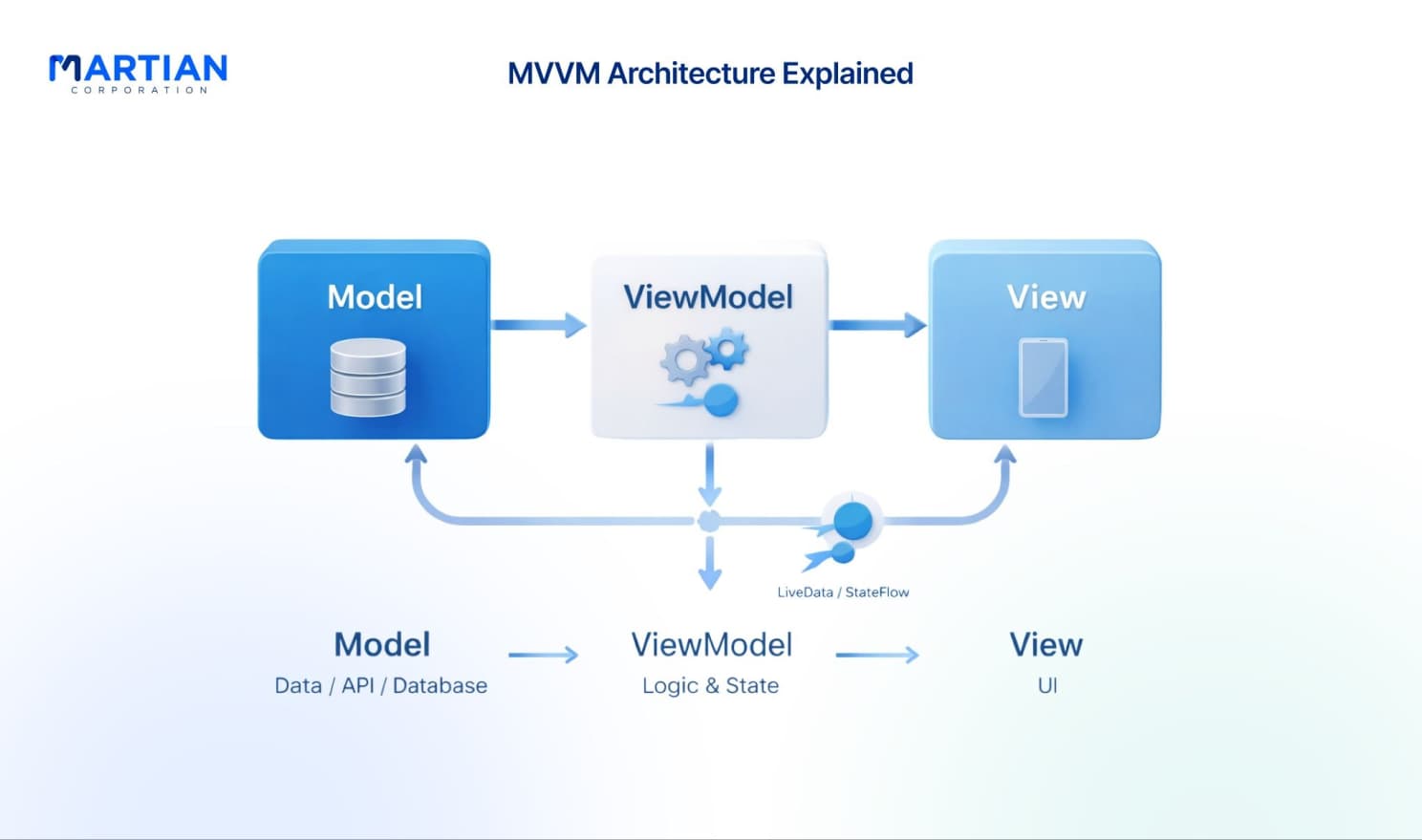
“Separate your UI from your logic, and maintenance becomes easier.” MVVM divides the app into three layers. The Model handles data and business rules, the View displays the UI, and the ViewModel connects both by managing state and user actions.

With data binding, UI elements automatically update when data changes. Developers no longer manually refresh screens, reducing bugs and boilerplate code. Because business logic lives inside the ViewModel — independent of Android components — it can be unit tested easily without emulators.

The biggest advantage of MVVM is loose coupling. The UI never directly talks to the database or API, making updates, redesigns, and refactoring far safer.

MVP (Model-View-Presenter)

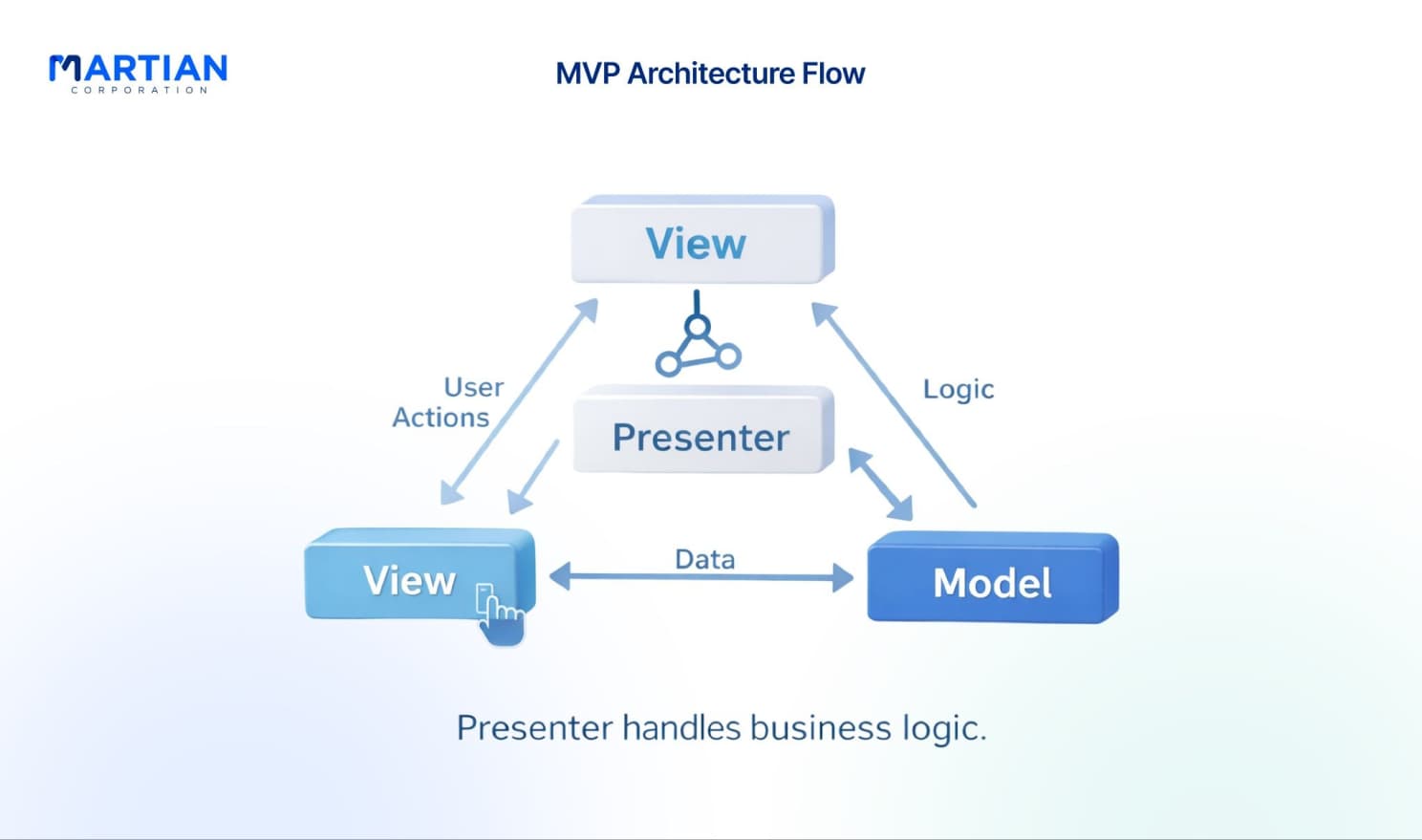
“Clarity comes from strict responsibility.” MVP introduces a Presenter that controls all logic while the View only shows data and forwards user actions. Activities and fragments remain lightweight instead of becoming overloaded with code.

Since the Presenter communicates through interfaces, it can be tested independently from Android frameworks. This results in faster and more reliable unit testing. The separation also improves code reuse because the same presenter logic can support multiple UI implementations.

Another advantage is lifecycle handling. The Presenter can preserve state during configuration changes like screen rotation, reducing crashes and memory leaks. For teams new to structured architecture, MVP is often the easiest transition from traditional Android development.

Article content

MVI (Model-View-Intent)

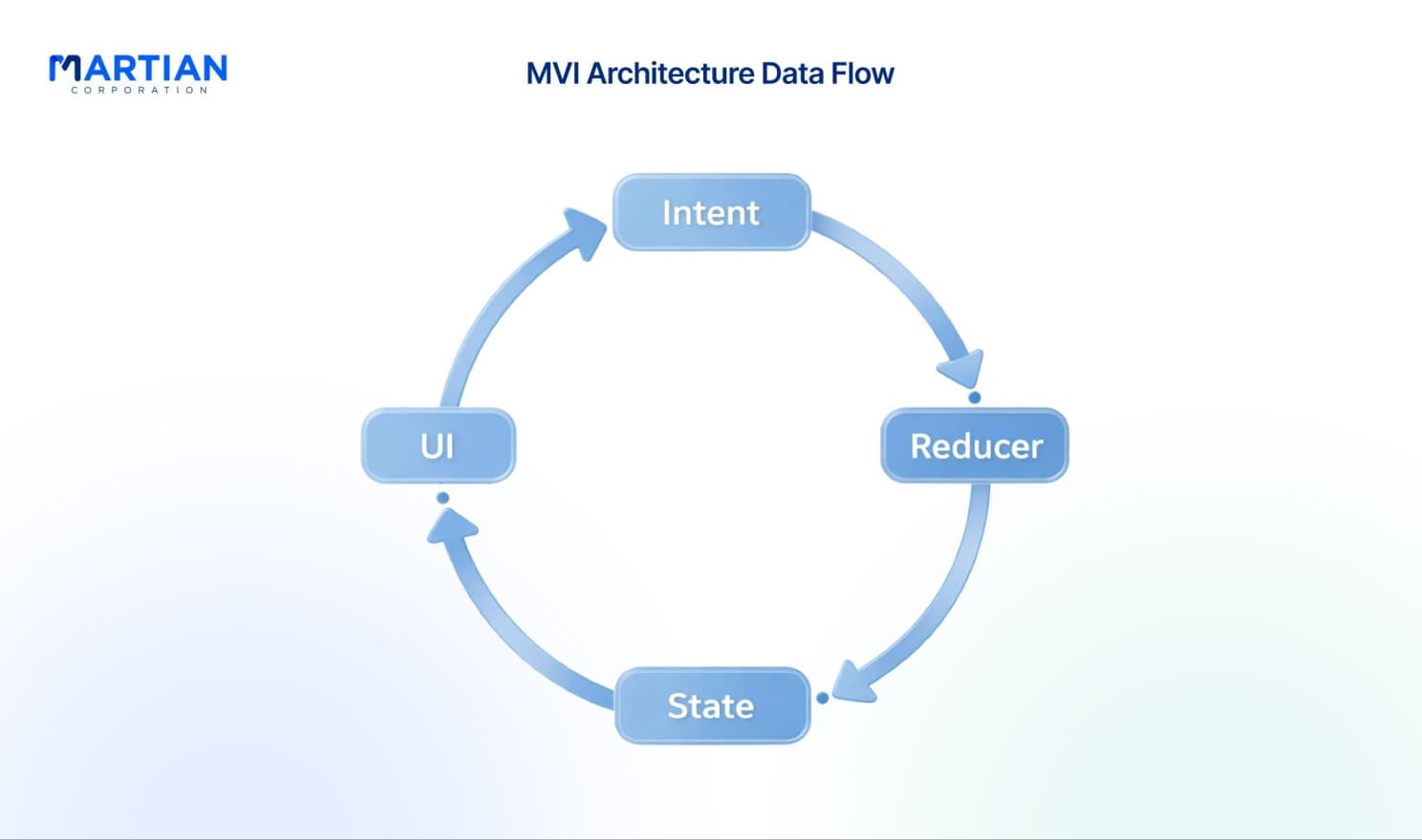
“Predictability is the key to debugging complex apps.” MVI uses a unidirectional data flow. Users perform actions (intents), which update the app state, and the UI simply renders that state. Every change follows a clear cause-and-effect chain.

State objects are immutable — instead of editing data, the app creates a new state. This prevents unexpected behavior and makes debugging far easier because developers can trace every change.

MVI works especially well for complex interfaces such as multi-step forms, filters, or dashboards. Because each interaction is recorded, bugs can be tracked and even replayed. The trade-off is complexity: it requires understanding reactive programming and functional concepts.

Comparing the Patterns

“The best architecture depends on the project, not the trend.” MVVM balances simplicity and scalability, making it ideal for most modern Android apps. MVP is easier to learn and suits smaller teams or projects migrating from legacy code. MVI offers the strongest predictability and testing benefits but requires more experience and setup.

In large applications, MVI excels at state management. In UI-heavy apps, MVVM shines through data binding. For straightforward apps, MVP delivers structure without heavy complexity.

Conclusion

“Architecture decisions today determine maintenance effort tomorrow.” MVVM, MVP, and MVI each solve the same problem — keeping code organized — but in different ways. MVVM provides practical balance, MVP offers simplicity and clarity, and MVI ensures predictability for complex interactions.

The right choice depends on your team’s skill level, app complexity, and long-term maintenance goals. Start by applying one pattern to a new module or feature, evaluate the workflow, and then expand. Clean architecture isn’t about following trends — it’s about building software that remains easy to improve long after release.

Article content

NewsLetter

Stay ahead in the world of technology

Get curated technology trends, expert analysis, and product updates delivered straight to your inbox — no noise, just signal.

Enter your email address

By subscribing you agree to our Terms and Conditions and Privacy Policy